Mock exams on screen, without the marking weekend
On paper, every mock ends in a stack of scripts to mark. On Piarrel, pupils sit the mock on screen, and the marks are proposed seconds after each pupil submits, ready for the teacher to approve. In the trial, the median time from submit to marks ready was 23 seconds.
Exam conditions, on screen
- A timed sitting in a window you open and close.
- Extra time set per pupil.
- Full screen, with every exit counted for you to see.
- Reference materials inside the exam.
- Answers saved as pupils type.
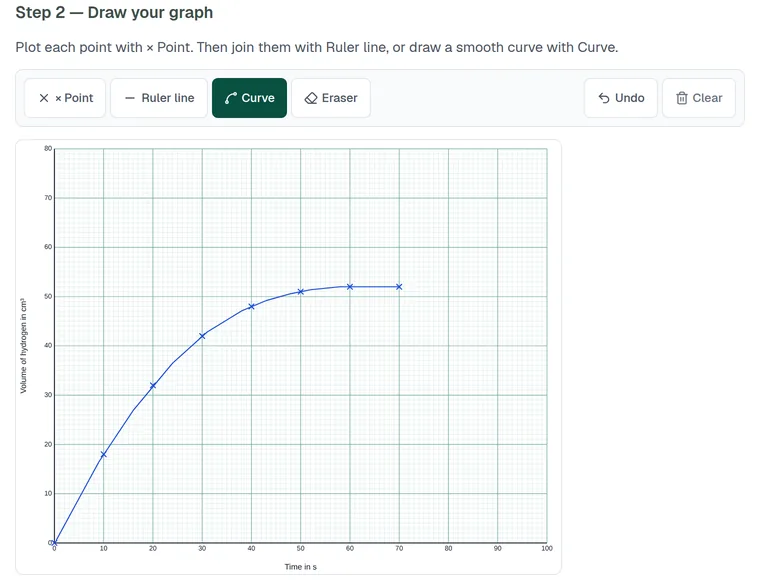
One paper for the whole year group
Assign one paper to as many of your classes as you need, and share it with colleagues: each teacher gets their own copy, with the mark scheme, to set for their classes.
From mock to the next lesson
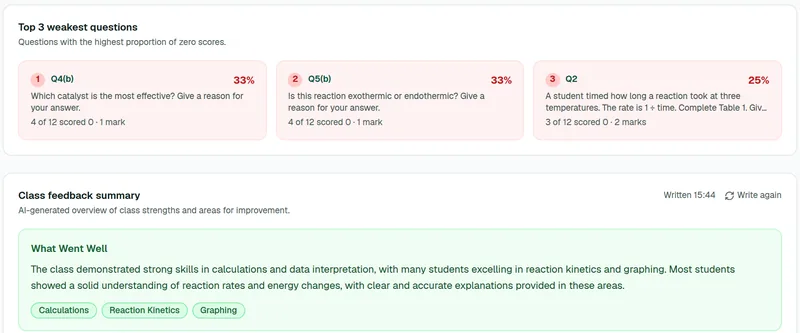
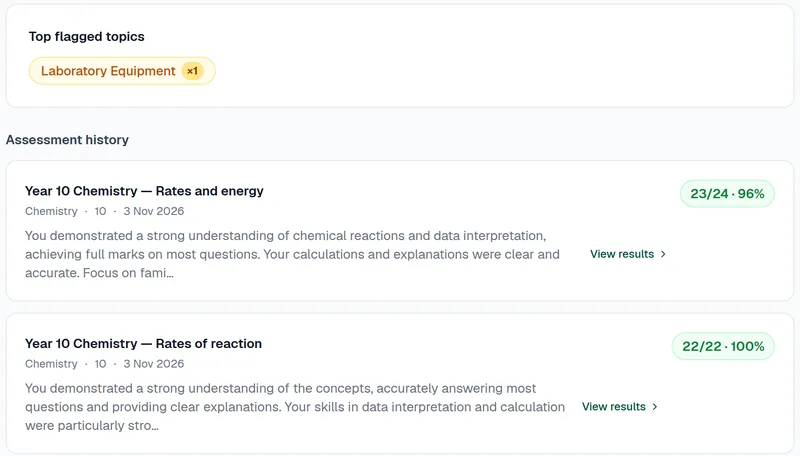
When the class is marked, you see how it did: the score distribution, the weakest questions, and a class summary of what went well and what would make it even better. Each pupil's result joins their record across every test they sit, ready for reports and parents' evenings. Results export to CSV for your own records.
Time back for teachers
At the trial school, teacher time per class set was 26 minutes in Piarrel, against about 1 hour 45 minutes on paper.
Questions
Can several classes sit the same mock?
Yes. Assign the paper to each class; a colleague you share it with gets their own copy, with the mark scheme, to set for theirs.
Can we give pupils extra time?
Yes, per pupil.
When do pupils see their results?
Only when the teacher releases them.
What if a laptop crashes during the mock?
If a pupil's laptop crashes, they reopen their exam link and see "Welcome back — your answers are saved." with a Continue button. Every answer saved before the crash is there, and the exam clock keeps running while they are away.