Cambridge IGCSE past papers, sat on screen and marked to the mark scheme
Past papers are how IGCSE classes practise. Piarrel keeps that habit and takes the paper out of it: the papers your department already uses become on-screen exams, marked against their own mark schemes.
How a past paper goes on screen
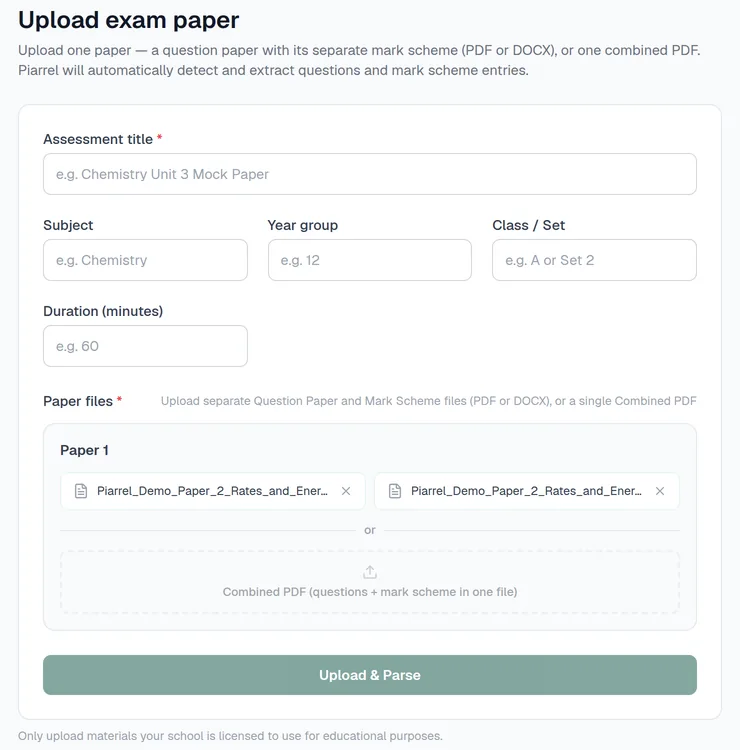
- Upload the question paper and its mark scheme.
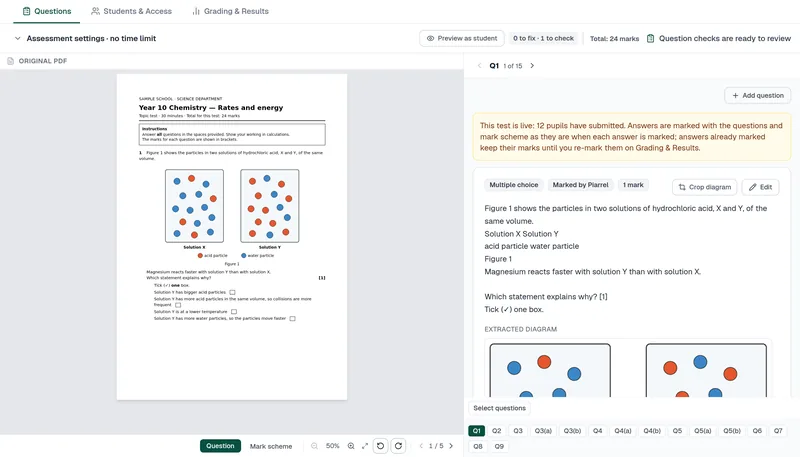
- Check: Piarrel rebuilds every question, figure, table and mark-scheme point, then walks you through a short check before the exam goes live.
- Sit: pupils take it in a timed window you open and close, with extra time set per pupil.
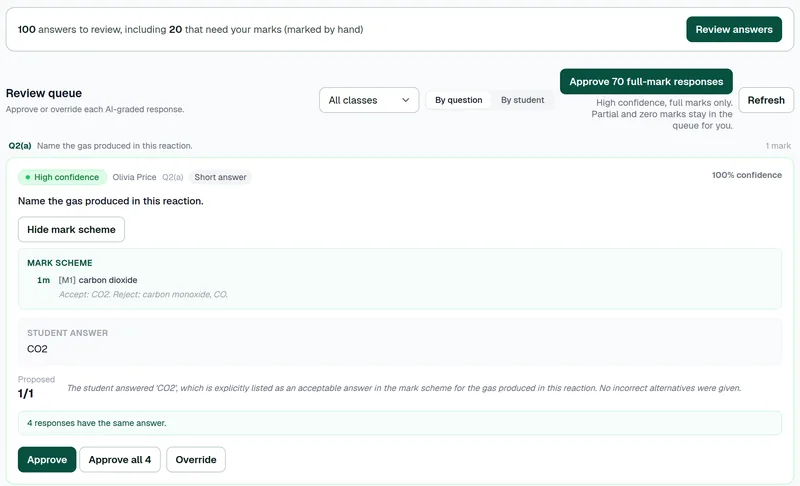
- Mark: Piarrel proposes marks against the mark-scheme points, with its reasoning and a confidence level. Graphs, drawings and labelled diagrams are left for you.
- Review and release: you approve or change every mark; each pupil then gets feedback from their own answers.
Built for the way mark schemes are written
A mark scheme does more than list answers: it says what to accept, what to reject and what to ignore. Piarrel keeps those lists on every marking point, so the marking follows your scheme rather than a generic answer key.
Your papers, not a question bank
Piarrel doesn't ask you to adopt a bank of someone else's questions. You use your own past papers, compilations and topic tests, as your department already does.
Questions
Which Cambridge papers work?
Cambridge IGCSE and Checkpoint past papers, as PDF or Word. The subjects tested so far are on our IGCSE sciences and Computer Science page.
Do we need to retype anything?
No: upload the PDF or Word file and check what Piarrel has rebuilt.
Can you set it up for us?
Yes. Send us the paper and its mark scheme, and it's ready the next working day.
Cambridge IGCSE is a registered trademark of Cambridge University Press & Assessment. Piarrel is independent and is not endorsed by Cambridge.